

Snow Pad
Snow 12

Snow Eye
Luna 8

Luna 6

Luna S

Luna HD 24 Pro

Luna Eye
Acesight VR

In the digital era, AI-powered learning tools have become indispensable helpers for primary school students in the US, making learning more engaging, personalized and accessible for kids at different learning paces. For children with special needs like low vision, these tools can even break down learning barriers and create equal learning opportunities that match their needs. This article focuses on the best AI tools for primary kids, selecting 6 high-quality and kid-friendly AI tools that fit American primary school students’ learning demands. We will dive into each tool’s core advantages and why they are highly recommended, provide practical guidance for parents to lead kids to use them properly, and share targeted tips for low vision children to adapt to these tools. Whether it is strengthening core academic skills, cultivating creativity, or building STEM thinking, these tools can meet diverse learning needs, balancing universality and accessibility for all young learners.
The best AI tools for primary kids must meet specific standards that fit the cognitive characteristics of young learners and the practical needs of parents, especially those with low vision children.
First and foremost, they should be kid-centric, with gamified and lightweight interfaces that are easy for primary students to operate independently, without complex steps or confusing menus.
Second, their content should align with the US primary school curriculum framework, covering core subjects like reading, math and science to truly supplement in-class learning.
Third, they must have strict safety protection mechanisms, with no inappropriate content, built-in parental control functions, and clear usage time limits to avoid excessive screen time.
Fourth, they should support personalized adaptation, including basic accessible settings for low vision children such as font adjustment and voice broadcast, to cater to diverse learning needs.
For parents, easy supervision and operation are also key demands, while low vision kids need tools that can reduce visual pressure and improve learning efficiency. Based on these comprehensive standards, we have selected 6 AI tools that excel in reputation and practicality, each with unique advantages to empower primary kids’ learning journey.
The best AI tools for primary kids cover different learning scenarios, from core subject foundation to creative thinking training, and each tool has its irreplaceable value. Below we will detail each tool’s highlights, suitability for primary kids, parent guidance methods, and low vision adaptation tips, with clear distinctions between directly configurable functions and those that need prior confirmation.
Khan Academy Kids is a free, ad-free AI learning tool dedicated to K-3 students, covering core subjects including reading, math, English, and social skills with a gamified interactive design. Its biggest highlight is the AI-driven personalized learning path: the system will automatically adjust learning difficulty according to the kid’s learning progress, record wrong answers for targeted review, and push customized learning content to fill knowledge gaps. It does not require parents to spend a lot of time tutoring, which perfectly fits the low-pressure learning needs of primary kids who are in the stage of building basic knowledge. For parents, the best way to guide kids is to set a fixed 20 to 30-minute daily usage time, check the learning report regularly to grasp the kid’s mastery of knowledge, and guide them to focus on learning modules instead of overindulging in game-based interactive sections to balance learning and fun.
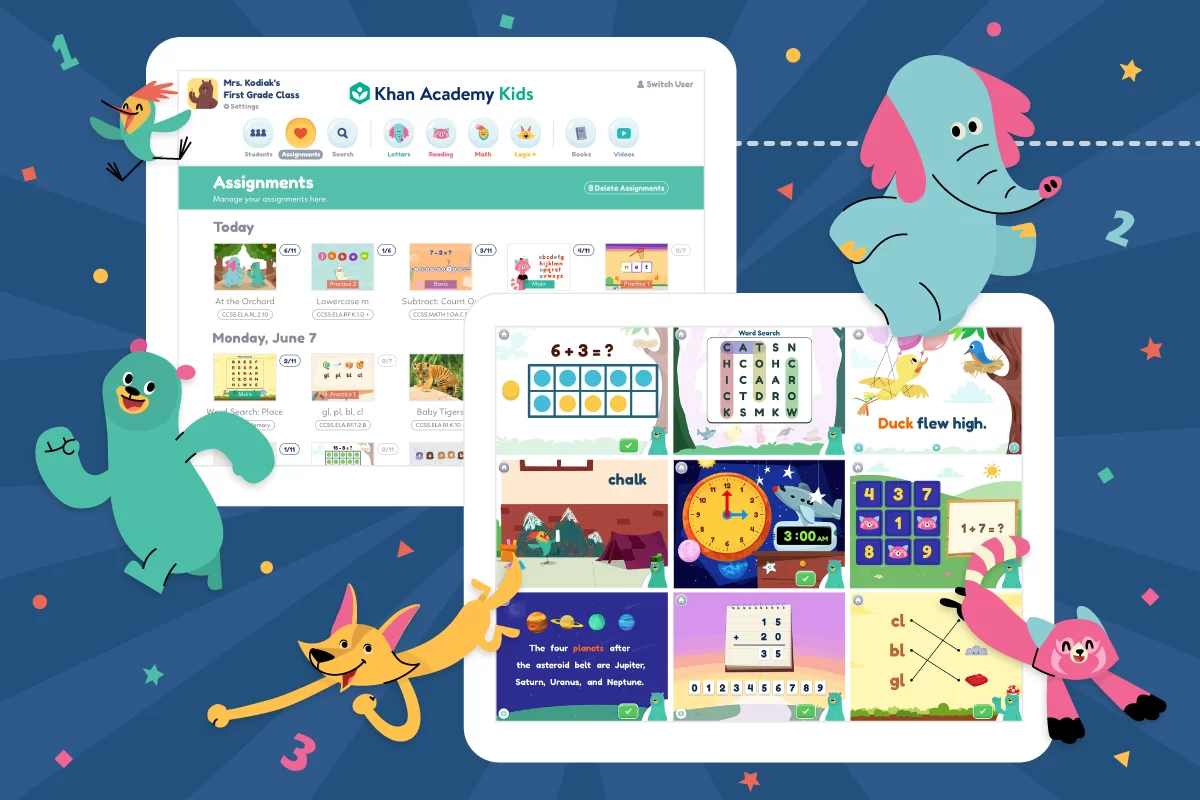
When it comes to low vision adaptation, parents can directly enable the “Visual Accessibility” feature in the app (According to the official guidance of Khan Academy Kids), including black-and-white mode to eliminate color distractions and default subtitle display; it is also compatible with screen readers like NVDA and VoiceOver. We suggest parents confirm whether the current version supports font enlargement and high-contrast display first, complete the settings after confirmation, and match it with a low vision digital magnifier to enlarge screen details, so as to reduce kids’ visual dependence during use.

BrainPOP Jr. stands out with its AI-driven animated teaching content, covering multiple subjects such as science, social studies, English, and art, and explaining abstract knowledge points in vivid and easy-to-understand animated stories. The AI system can record the kid’s performance in the supporting fun quizzes, analyze their knowledge weaknesses, and push targeted review content to help them consolidate what they have learned. The animated form is highly in line with primary kids’ attention characteristics—compared with boring text, vivid characters and interesting plots can attract kids to focus longer, making it easier for them to understand abstract concepts like natural phenomena and historical stories. Parents can guide kids by watching animations together and interacting in the quiz session, then ask kids to retell the knowledge points in their own words to deepen understanding; the built-in parental control function can also help limit the usage scope and time to ensure rational use.
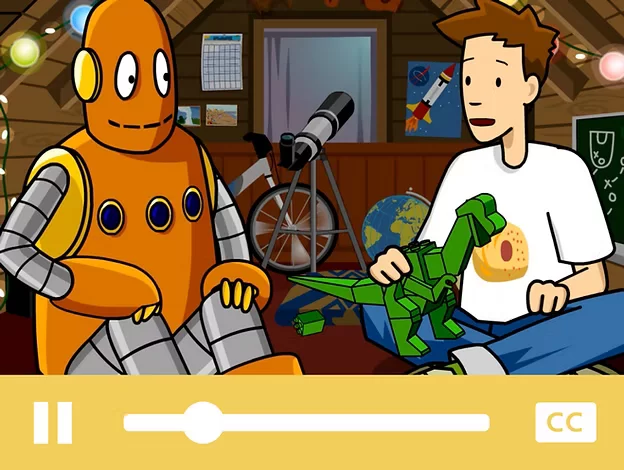 For low vision adaptation, parents can directly enable the video audio description function by clicking the settings icon on the player, and the quiz section supports Microsoft Immersive Reader integration, which allows adjusting font size and enabling text-to-speech function. It is recommended that parents confirm whether the tool supports high-contrast display first, and match it with a low vision magnifier to focus on the core animation frames, reducing visual fatigue caused by long-time screen watching.
Google’s Read Along is a targeted AI tool for primary kids to improve reading and pronunciation skills, with real-time AI voice feedback to correct kids’ pronunciation errors instantly. It has a huge library of leveled readers, covering different reading levels from beginner to intermediate, and supports offline use, so kids can learn anytime and anywhere without network restrictions, with zero operation threshold even for young kids who have just started learning to read. What makes it recommended is that its AI recognition system can accurately identify kids’ wrong pronunciations and give gentle guidance, helping zero-basis kids build reading confidence step by step, and effectively improve their core reading abilities including vocabulary accumulation and sentence comprehension. Parents can guide kids to follow and read one leveled reader every day, compare the pronunciation tips given by AI, and make a reading check-in plan together to cultivate persistent reading habits.
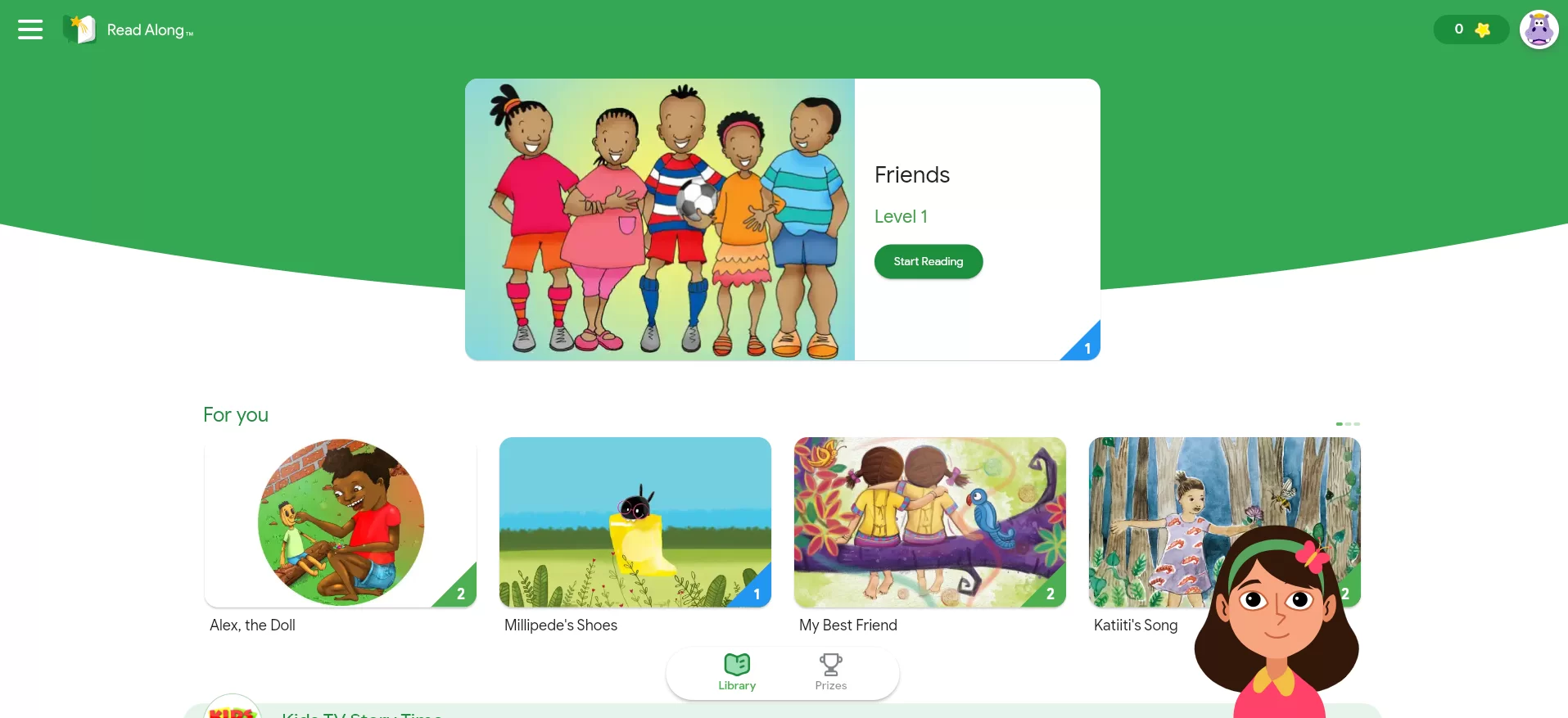
For low vision adaptation, parents can use Chrome’s “Reading Mode” to adjust font size, line spacing and background color, and use the device’s built-in screen magnifier to enlarge the reader’s text. It is suggested that parents first confirm whether the app directly supports high-contrast text mode; after confirmation, turn off complex background patterns to avoid visual distractions, and match the tool’s own voice feedback function to realize a “listening-reading combination” learning mode, reducing the pressure of visual reading for low vision kids.
Scratch AI is an AI-assisted programming tool designed for primary kids, featuring a graphical programming interface that allows kids to create animations, games and stories by dragging and dropping blocks without any code foundation. Its built-in AI assistant can provide real-time creative suggestions during the kid’s creation process, help them solve logical problems in programming, and lower the threshold for programming entry, so that primary kids can experience the fun of creation easily. It is highly recommended because it focuses on cultivating kids’ logical thinking and innovative ability—every drag-and-drop operation and logical combination can exercise kids’ thinking agility, which fits the innovative education needs of primary school stages in the US. When guiding kids to use it, parents should support their creative ideas and encourage them to share their works with family and classmates; more importantly, guide them to think about programming logic independently, instead of relying on AI suggestions completely, so as to cultivate independent thinking and problem-solving abilities.

For low vision adaptation, parents can directly enable the text-to-speech function and use keyboard navigation instead of mouse operation to reduce visual operation; they can also adjust low-brightness display through browser or system settings similar to dark mode. It is suggested that parents confirm whether the Scratch VUI voice interaction plugin is installed, which supports creation through voice commands; matching it with a low vision magnifier can help kids see drag-and-drop blocks clearly, making up for the insufficient color contrast of the tool’s native interface.
AI Dungeon (Classroom) is the classroom-exclusive version of AI Dungeon, with strict content review to ensure no inappropriate information, making it 100% suitable for primary kids to use. Its core advantage lies in AI-powered story continuation: the system will continue to expand the story plot according to the kid’s text input, creating an infinite creative space for kids and stimulating their imagination to the greatest extent. It breaks the limitations of traditional writing, allowing kids to write freely without being restricted by fixed themes or frameworks, which fits the characteristics of primary kids with rich imagination, and effectively improves their text expression and story construction abilities. Parents can guide kids by brainstorming story frameworks together first, encouraging them to input their ideas actively instead of passively relying on AI to continue the story; after the story is completed, guide kids to modify and polish the AI-continued content to form their own exclusive works.
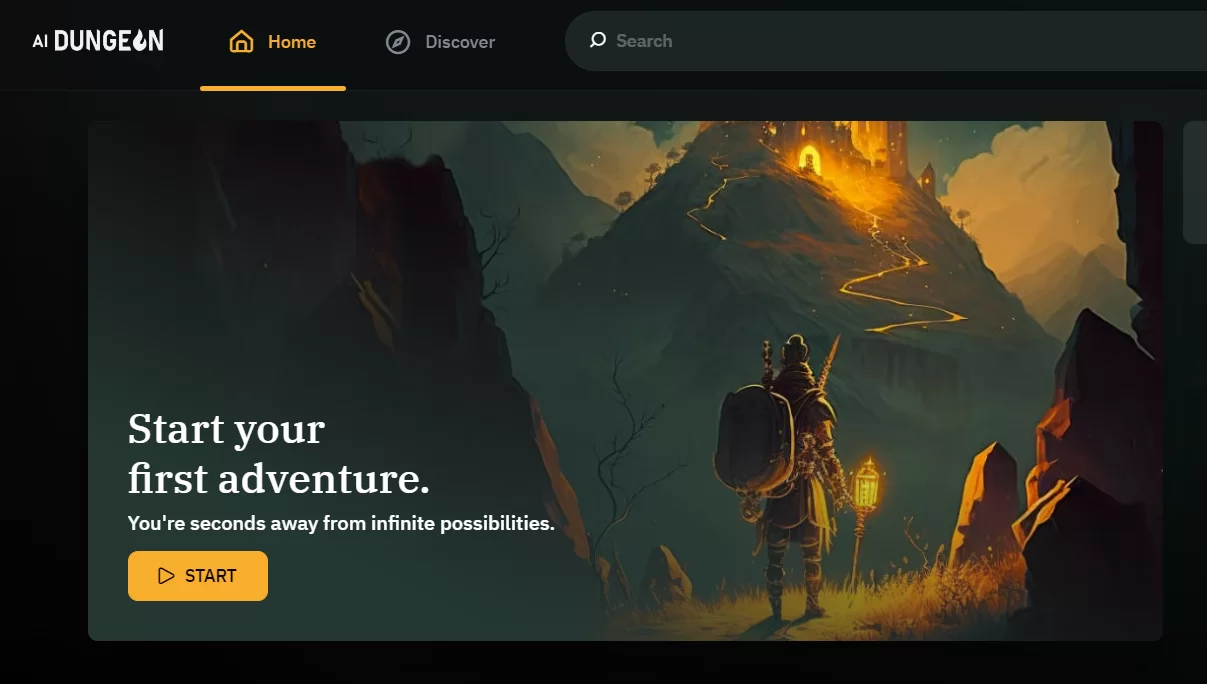
For low vision adaptation, the classroom version has fixed major accessibility issues and supports compatibility with mainstream screen readers. It is suggested that parents first confirm whether the tool supports font enlargement, dark mode and text-to-speech functions; after confirmation, turn off redundant pop-ups on the interface, and use a low vision magnifier to focus on the input box and story text, reducing the visual pressure of long-time reading and writing.
Smart Sparrow is an AI tool focused on personalized STEM learning for primary kids, covering four core fields of science, technology, engineering and mathematics, with interactive experiments and practice tasks to let kids learn through hands-on exploration. Its AI system can accurately capture the kid’s learning weaknesses in real time, analyze their learning pace and mastery degree, and push personalized learning plans, making STEM learning more efficient and targeted. It is recommended because it can cultivate primary kids’ STEM thinking from an early age, and the interactive experimental mode makes abstract STEM knowledge more concrete, allowing kids to feel the fun of scientific exploration in operation. Parents can guide kids by accompanying them to complete interactive experiments, encouraging them to explore boldly and try different solutions; they can also extend STEM knowledge to daily life, such as exploring the principle of gravity through daily phenomena, to let learning integrate into life.
For low vision adaptation, there is no clear official information indicating that the tool has a complete built-in low vision adaptation function. We suggest parents first confirm whether the tool supports screen reader compatibility, font enlargement and high-contrast display; after confirmation, enable the visual simplification mode of the experimental interface, enlarge experimental data and operation buttons, match it with a low vision magnifier to view details, and turn on the device’s built-in AI voice explanation function to synchronize experimental steps for kids.
Above all, scientific guidance is the key to helping kids make good use of the best AI tools for primary kids. These tools can empower learning efficiently only when used properly, while avoiding problems such as excessive screen time and over-reliance on AI. Here are 5 practical and actionable tips for parents to refer to.
In fact, most of the best AI tools for primary kids are equipped with basic accessibility functions, and when matched with professional low vision aids, they can create a more friendly and efficient learning experience for low vision children. Here are the core adaptation methods that parents need to master. First, do a good job in basic function confirmation and adjustment: first confirm whether the tool supports core accessibility functions including high contrast, super-large font, voice broadcast and screen reading, complete the relevant settings after confirmation, and turn off redundant pop-ups and dynamic special effects on the interface to reduce unnecessary visual interference; for functions that are not clearly marked, you can check the tool’s official help documentation or contact customer service for consultation. Second, match with professional low vision aids: use the professional digital magnifiers (such as portable low vision aids of Zoomax) to enlarge key screen content such as text and operation modules, improve visual clarity; for tools that support external large screens, you can connect them to monitors to expand the display area and further reduce visual pressure. Third, optimize the operation process: set simplified operation processes for kids, such as collecting commonly used functions to the home page for quick access; if the tool supports voice control functions, use voice to replace manual operation to reduce the visual burden caused by frequent screen viewing and clicking. Fourth, pay attention to visual protection: control the single usage time of low vision kids within 20 minutes, and arrange eye rest time in between to relieve eye fatigue; regularly check kids’ vision status, and adjust the parameters of low vision aids and tool settings in time according to vision changes to ensure the best adaptation effect. Fifth, play the synergy of tools and aids: professional low vision aids can seamlessly match most AI learning tools, further optimize visual display effects and enlarge fine details, so that low vision kids can use AI learning tools more easily and efficiently, and enjoy the same learning convenience as normal vision kids.
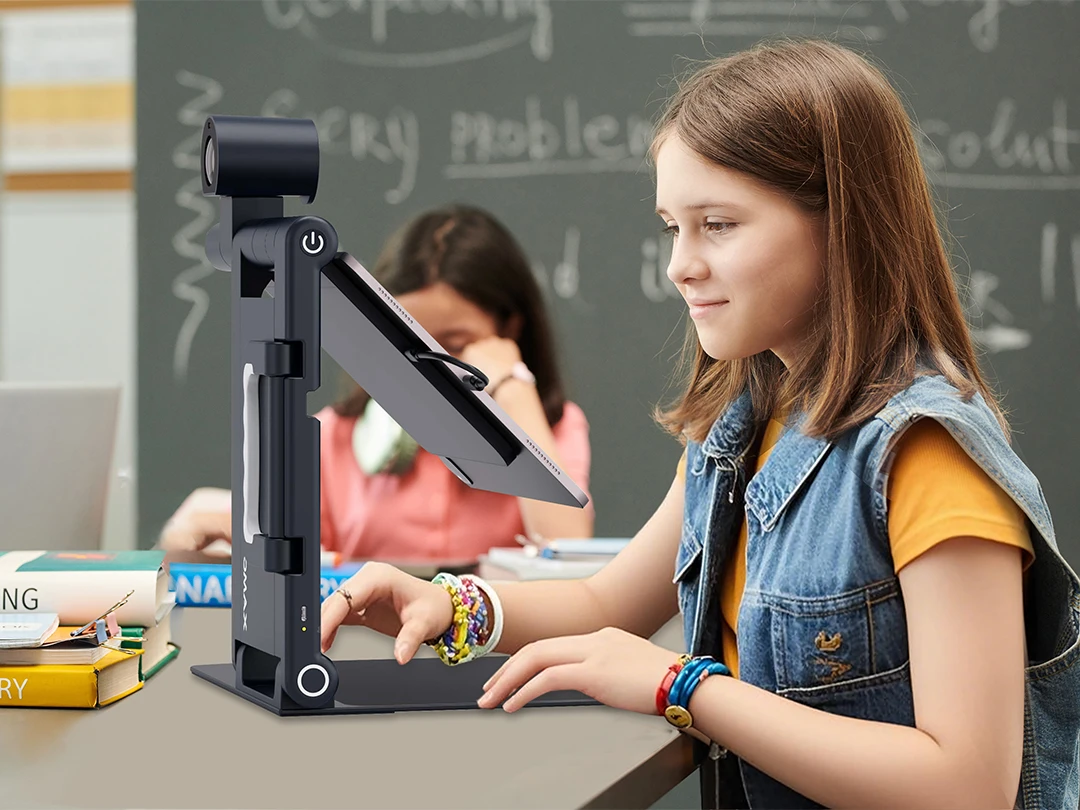
In conclusion, the 6 AI tools recommended in this article fully cover the learning needs of American primary kids, from core subject consolidation to creative ability training, and from daily reading practice to STEM thinking cultivation. They are not only the best AI tools for primary kids with high recognition in the market, but also provide basic accessibility support, and can create equal learning opportunities for low vision kids through scientific adaptation and matching with professional aids. For parents, choosing the right AI tool according to their kid’s learning interests and actual needs is the first step; the more important thing is to confirm the availability of accessibility functions in advance (especially for low vision kids) and use the guidance skills in this article to lead kids to use the tools rationally. High-quality AI learning tools combined with professional low vision aids can build a comprehensive learning support system for low vision kids, helping them break through visual limitations in the learning process. Let us use these powerful AI tools to empower kids’ learning, let every young learner, no matter with normal or low vision, gain happiness and growth in efficient and interesting learning, and lay a solid foundation for their future study and life.
All 6 recommended best AI tools for primary kids are tailored for US primary students aged 5-12, covering grades from K-3 to 6th. Khan Academy Kids works optimally for children aged 5-8, whereas tools like Scratch AI are more suitable for older primary kids (8-12) who focus on creative coding learning.
Most of these best AI tools for primary kids provide free core functions, plus optional paid premium features for extended needs. Khan Academy Kids and Google’s Read Along are 100% free and ad-free; BrainPOP Jr. and Smart Sparrow offer free trial periods; Scratch AI is free for basic creative projects, and AI Dungeon (Classroom) provides complimentary educational plans for teaching scenarios.
Yes, they do. All selected best AI tools for primary kids comply with US COPPA regulations, with zero inappropriate content. They are equipped with built-in parental controls (including time limits and content filters) and strict data privacy protocols, ensuring a safe online learning environment for young learners.
Two key steps can ensure smooth use for low vision kids. First, enable the tool’s built-in accessibility features, such as high contrast display, large fonts and voice broadcast functions. Second, match them with professional low vision aids like Zoomax digital magnifiers, which can effectively reduce visual pressure on low vision children during learning.
Not if guided properly. You can set a daily usage limit of 20-30 minutes via parental control functions, and guide kids to try solving problems independently before turning to AI suggestions. This approach avoids AI-reliance while balancing AI-assisted learning and offline activities.
Absolutely. All these best AI tools for primary kids are aligned with the US primary school curriculum framework, covering core subjects including reading, math and science, as well as STEM courses. They perfectly supplement in-class teaching and help kids consolidate key knowledge points efficiently.
Yes. Low vision kids can use these tools solely by enabling built-in accessibility settings like text-to-speech and high-contrast mode. However, pairing the tools with professional low vision aids will significantly reduce visual fatigue, making long-time learning more comfortable for low vision kids.
Choose based on your kid’s specific learning needs: opt for Khan Academy Kids to solidify core subject basics, Google’s Read Along to improve reading and pronunciation skills, and Scratch AI to cultivate creative coding abilities. For low vision primary kids, prioritize tools with clear, easy-to-use accessibility features.
Some of them do. Google’s Read Along and Khan Academy Kids allow offline access to pre-downloaded learning content; other tools like BrainPOP Jr. support cached content for short-term offline use, making them ideal for primary kids to learn anytime and anywhere.
Yes. Most mainstream best AI tools for primary kids are fully compatible with professional low vision aids such as Zoomax digital magnifiers. This compatibility optimizes visual display effects and makes on-screen learning content clearer for low vision young learners.
No account yet?
Create an Account