









Goodbye, Wobbly Lines! How Snow 12 Helps Your Little Learner Write with Confidence

Post Highlights: Quick Wins for Your Student
- No More "Drifting":Digital Reading Lines act as guide rails to keep pencil strokes straight.
- Ergonomic Design:The Snow 12 foldable stand encourages healthy posture and provides ample writing space.
- Customized Lighting:Adjustable LEDs eliminate shadows for both right- and left-handed writers.
- Beyond Magnification:High-contrast modes and "Reading Windows" make complex math and science charts easy to navigate.
It’s 4:00 PM on a Tuesday. The school bus dropped your child off an hour ago, the snacks are ready, and the backpack is open. But instead of a productive afternoon, the air is thick with frustration. For many visually challenged students, a simple writing assignment can feel like trying to navigate a maze in the dark.
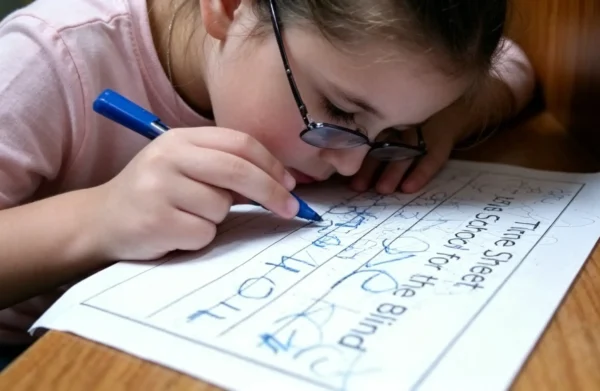
As a parent, seeing your child struggle to keep their pencil on the line—words drifting upward like helium balloons or overlapping until they become unreadable—is heartbreaking. It’s not just a vision issue; it’s a confidence issue. But what if your child had a "digital guide" to keep them on track? That is exactly where Zoomax Snow 12 comes in to save the day.
Why Writing "Straight" is a Big Hurdle for Low Vision Kids
In the early grades, learning to write is all about spatial awareness. For kids with limited field of vision or low contrast sensitivity, those faint blue lines on a standard worksheet might as well be invisible. When they can’t see the boundaries, their writing naturally becomes "messy."
It’s important to remember: your child isn't being "careless." They are working twice as hard as their peers just to find where one line ends and the next begins. Our goal is to provide the assistive technology for writing that removes these physical barriers, allowing their intelligence to shine through without the fear of "drifting" off the page.
Snow 12 Foldable Stand: Room to Tackle Any Subject
One of the best parenting tips for visually impaired kids is to create a workspace that encourages good posture. Most magnifiers require a student to hunch over, which is exhausting.
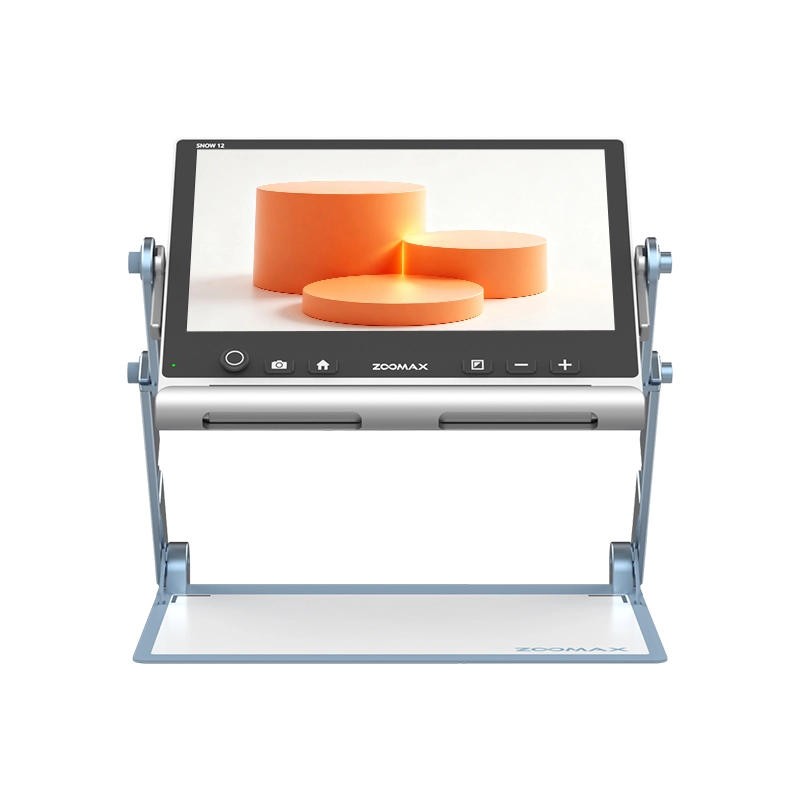
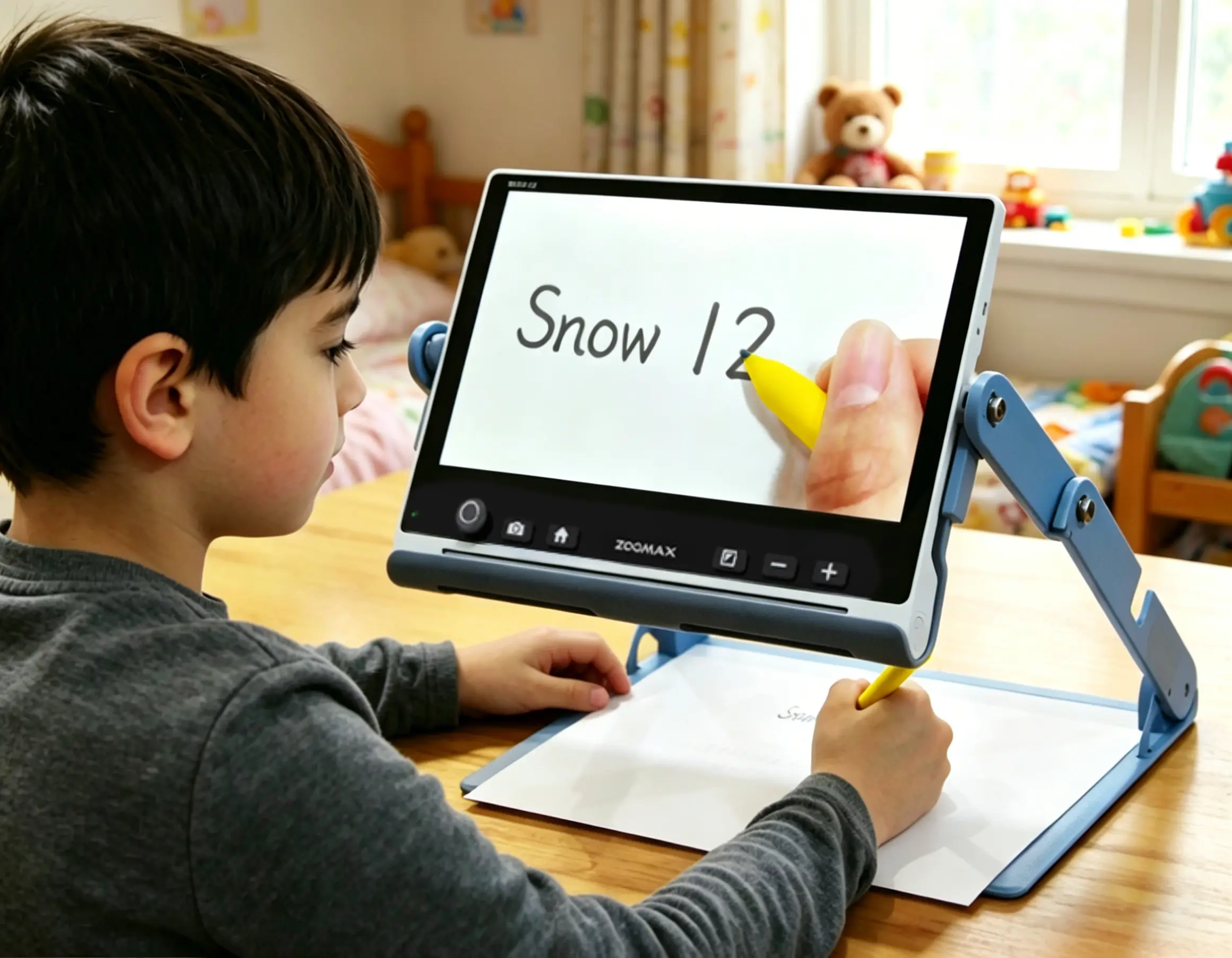
The portable digital magnifier design of Snow 12 includes a foldable stand, which is ready to use right out of the box.
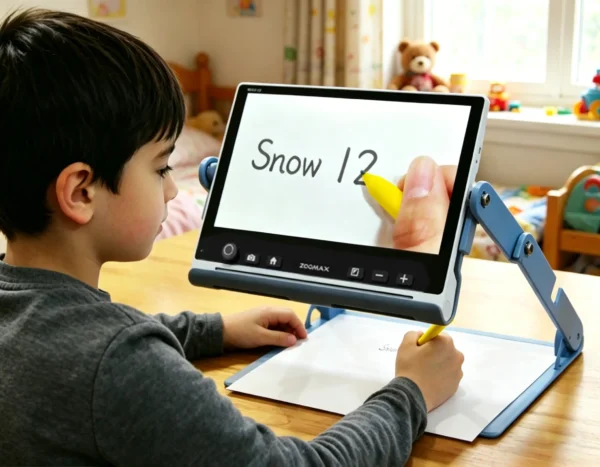
The "Workbook" Test: Whether it’s a thick 3rd-grade math book or a wide-ruled ELA notebook, the stand provides enough "elbow room" to slide the paper underneath comfortably.
Ergonomic Writing: Your child can sit up straight, looking at the screen at eye level while their hand moves naturally on the desk below. It turns a cramped desk into a spacious workstation.
Custom LED Lighting (The "No-Shadow" Secret): One of the coolest features of Snow 12 is the dual, customizable LED light system. For students with low vision, standard classroom lighting is often an enemy, creating harsh "hot spots" on glossy paper or leaving corners in the dark. Snow 12 provides balanced, auxiliary illumination directly over the reading material, ensuring uniform brightness that significantly reduces eye strain during long study sessions.
But the real magic happens when your child picks up a pencil. We’ve all seen the frustration when a child’s own hand casts a dark shadow over the exact spot where they are trying to write. This portable digital magnifier offers a clever "hidden" solution: you can adjust the lights to match your child’s writing hand.
For the "Righties": You can dim the right light and brighten the left to ensure the hand doesn't cast a shadow over the words being written.
For the "Lefties": Simply flip the settings! Finally, left-handed students can write without their own hand blocking their view.
Anti-Glare Advantage: We know that harsh overhead lights can bounce off glossy workbook pages, causing painful glare. Snow 12’s lighting is designed to be soft and indirect. This anti-glare technology significantly reduces eye strain and prevents visual fatigue, allowing your child to stay focused on their essay for longer without getting "tired eyes."
The Magic of Reading Lines: Your Child’s New Best Friend
The standout feature of this digital magnifier for kids is the "Reading Lines" function. Think of these as digital "guide rails" for your child’s pencil. Here is how they function in the writing components of various subjects:
English & Spelling Practice: Imagine your child is writing reading notes for a biography. By turning on the horizontal Reading Lines, they see a bold, steady guide on the screen. Even if the paper's lines are too light to see, Snow 12 provides a clear path. They can focus on spelling "adventure" correctly instead of worrying if the word is sliding into the margin. We’ve all seen it: a child reaches the middle of a sentence and tries to slide their notebook to the left, only to have the paper end up at a 45-degree angle. With Zoomax Snow 12, your child doesn't have to move the paper. By simply using the analog stick, they can pan the magnified view across the page. The workbook stays anchored and flat, which means the writing stays perfectly horizontal from the first letter to the last period.
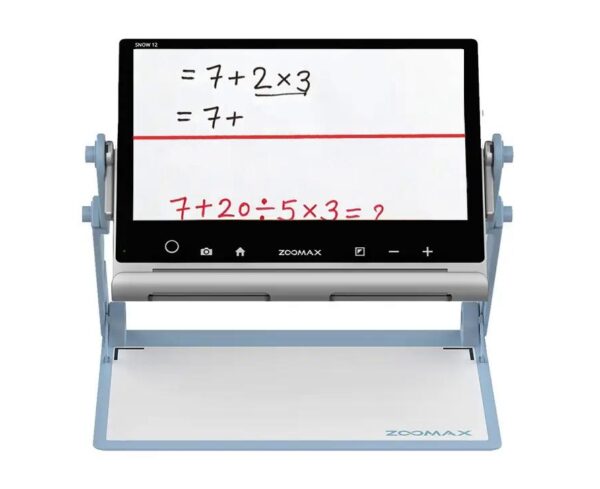
Math Assignments: Lining up numbers in columns for addition or subtraction is a nightmare with low vision. With Snow 12, you can customize the lines to be vertical or horizontal, helping your child keep their "ones" and "tens" perfectly aligned. If the printed grid lines are too faint, use the high-contrast color mode—turn that murky gray background into stark black and white, making the grid lines pop like they were drawn with a marker. If kids encounter a blank area where they need to list numbers for addition, simply switch back to True Color mode and turn on the Reading Lines to create their own digital grid.
Science Journals & Lab Reports: In Science class, kids are often asked to draw a diagram (like the parts of a plant) and label it with arrows. This requires "precision pointing"—a huge challenge for visually challenged students. By using the Reading Window or adjustable Reading Lines, your child can isolate the specific part of the diagram they are labeling. It prevents them from getting lost in a busy page of illustrations, ensuring their labels are placed exactly where the "roots" or "leaves" are located. It turns a complex visual task into a structured, manageable one.
Beyond the Basics: Why Magnification Changes the Game
You may have already tried common writing tools for visually impaired children, like bold-line paper or plastic writing guides. While these are okay for quick notes, they are "static" tools.
Snow 12 is a superior assistive technology for writing because it combines guidance with live magnification.
See the Details: Basic tools show you where to write, but Snow 12 lets the child see how they are writing. During a cursive lesson, they can zoom in to see if their "l" and "e" loops look different or if they’ve properly crossed their "t."
Check the Work: Once a paragraph is finished, they can use the portable digital magnifier to "scan" back over their work, easily spotting and correcting mistakes just like their classmates do.
From "I Can't" to "Look at This!": Boosting Student Confidence
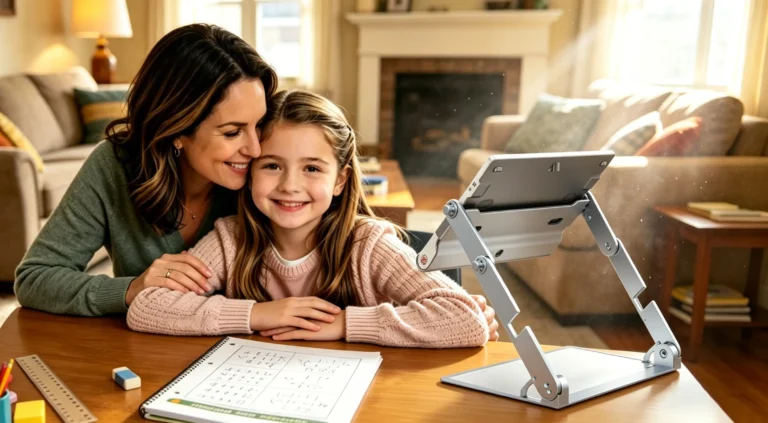
The shift from frustration to pride is the most beautiful part of using assistive technology for writing disabilities. When a child sees a page of neat, legible sentences that they wrote themselves, their self-esteem skyrockets.
By using this assistive technology for reading and writing disabilities, your child no longer feels "different" in a negative way. They have a cool, high-tech tool that makes them the "pro" in the classroom. This success in writing often leads to a breakthrough in reading, turning school from a place of stress into a place of triumph.
What Parents are Saying:
"My son's teacher was amazed at the difference in his work within just one week. He went from refusing to write to proudly showing off his neatly aligned math columns. It’s been a total game-changer for his self-esteem." — Sarah T., Proud Parent
"Homework used to take three hours and end in tears. With the Snow 12, my daughter can actually see the lines she's supposed to write on. It’s given her the independence she’s been craving." — Michael R., US Veteran & Father
Conclusion: Ready to See Your Child Shine?
Snow 12 is more than just a piece of tech; it is an "all-in-one" empowerment tool. From the first day you take it out of the box, it helps visually challenged students bridge the gap between their big ideas and the printed page.
We know that choosing the right assistive technology for writing is a big decision for your family, and we want you to feel 100% confident in your choice. That’s why we’ve made it easier than ever to bring this life-changing tool into your home:
- 30-Day Risk-Free Trial: Let your child try it out on their own desk and with their own schoolwork. If it’s not the perfect fit for their journey, we’ll make it right.
- Fast Shipping from the USA: No waiting for weeks on end. Your order ships directly from our US warehouse, so you can start seeing progress as soon as possible.
- 2-Year Warranty: We stand by our quality. Your investment is safeguarded for the long term, providing you with complete peace of mind.
- Exclusive Welcome Offer: Ready to join the Zoomax family? Register as a new user today and get 10% OFF your purchase!
If you’re ready to turn homework time into a highlight of the day, explore Zoomax USA low vision aids store and see how Snow 12 can transform your child’s educational journey. Let’s help them write their own success story—one straight, confident, and perfectly lit line at a time!
Frequently Asked Questions (FAQ)
Is Snow 12 portable enough for a child to take to school?
Absolutely! It is a portable digital magnifier designed for life on the go. To give you an idea of the weight, Snow 12 itself is only 2.3 lbs (1050g) and the foldable stand is 2.7 lbs (1230g). Combined, the entire system weighs roughly 5 lbs—about the same as a standard 15-inch laptop. Since the stand folds completely flat, it slides easily into a standard backpack right next to their notebooks. It’s light enough for an elementary student to carry between classes without any trouble!
Once fully charged, will the battery life keep up with my child’s writing needs throughout a full school day?
Great question! Snow 12 provides about 2.5 to 3 hours of continuous, non-stop use. While a school day is longer, remember that students typically use assistive technology for writing during specific blocks, like ELA (English Language Arts) or Math sessions.
Since kids naturally take breaks for recess, lunch, and teacher-led instruction, the battery life is usually more than enough to cover their active writing and reading tasks. For "heavy-duty" days, we recommend a quick "top-off" charge during lunch or keeping the slim power adapter in their backpack. This ensures their portable digital magnifier is always ready for that final afternoon assignment!
Does it require a complicated setup for every use?
Not at all. It is designed to be "plug and play." The foldable stand snaps into place in seconds, making it one of the most user-friendly writing tools for visually impaired students.
Can it help with reading textbooks as well as writing?
Yes! Beyond writing, it features OCR (Optical Character Recognition) which can scan full pages of text and read them aloud in over 20 languages, making it a complete assistive technology for reading and writing disabilities.