









Working with Diabetic Retinopathy: Modern Low Vision Aids for Today’s Professionals

Key Takeaways
- Diabetic retinopathy can make everyday work tasks harder without completely stopping a career.
- Many professionals struggle most with blurred text, glare, contrast loss, and eye fatigue during long screen time.
- Modern low vision aids for diabetic retinopathy are designed to fit into hybrid work, remote meetings, and digital workflows.
- Zoomax Snow Pad supports both near and distance viewing, OCR text recognition, and iPad multitasking to help users work more comfortably.
- The right products for visually impaired adults can support not only productivity, but also confidence, independence, and emotional well-being.
For many Americans living with diabetic retinopathy, work doesn’t suddenly stop because vision changes begin. Careers, responsibilities, meetings, deadlines, emails, spreadsheets, and remote collaboration still continue every day.
The challenge is that diabetic retinopathy vision changes often develop gradually, making it harder to notice how much extra effort your eyes are using until workdays start feeling exhausting. Blurry text, fluctuating focus, glare sensitivity, reduced contrast, and even diabetic retinopathy peripheral vision loss can slowly turn normal office tasks into frustrating daily obstacles.
The good news is that modern diabetic retinopathy low vision aids are changing how working-age adults manage these challenges. Today’s low vision technology is no longer limited to bulky desktop magnifiers or complicated medical devices. Newer digital tools are designed to fit naturally into modern lifestyles — helping professionals continue working, staying productive, and maintaining independence with greater comfort and confidence.
Why Diabetic Retinopathy Is Becoming a Workplace Vision Crisis
Millions of Americans with diabetes are still actively working, building careers, supporting families, and managing busy schedules. But diabetic retinopathy is becoming an increasingly common cause of workplace vision difficulties, especially for professionals who spend hours every day looking at digital screens.

Many people are not completely blind. Instead, they experience a combination of:
- Blurry or fluctuating vision
- Dark or blind spots in their field of view
- Floaters
- Difficulty with night vision
- Reduced contrast sensitivity
- Challenges switching focus between different distances
These symptoms can seriously affect productivity during tasks like reading emails, reviewing spreadsheets, attending Zoom meetings, or analyzing reports. According to organizations focused on low vision support, people with diabetic eye disease often struggle with reading screens, recognizing details, and maintaining visual comfort during daily tasks.
For many professionals, the biggest fear is not simply vision loss itself. It’s the fear of losing independence, career momentum, or the ability to continue doing meaningful work.
That emotional pressure is real — especially for experienced professionals balancing careers, financial responsibilities, and family life.
The Hidden Challenge of Computer Work with Diabetic Retinopathy Vision
One of the biggest misconceptions about low vision is that magnification alone solves everything.
In reality, many working professionals with diabetic retinopathy say the hardest part is not “seeing nothing.” It’s trying to work comfortably for hours at a time.
Modern jobs require constant visual switching:
- Reading long email threads
- Managing Excel spreadsheets
- Reviewing CRM dashboards
- Attending video calls
- Reading small text during remote meetings
- Navigating multiple browser tabs
- Switching between laptop screens and printed paperwork
Over time, this creates severe visual fatigue. Even people using standard accessibility settings may still experience headaches, eye strain, reduced reading speed, and concentration fatigue during long workdays.
Many users online describe feeling mentally exhausted from continuously adjusting brightness, zoom levels, and contrast settings just to keep up with coworkers. Some professionals with diabetic retinopathy and low vision report needing large monitors, digital magnification, or higher-contrast displays just to comfortably complete normal office tasks.
Traditional handheld magnifiers can help briefly, but they are often inconvenient for full-day office work. Constantly moving a physical magnifier across paperwork or screens can interrupt workflow and increase fatigue.
That’s why many professionals are now exploring more advanced low vision devices for diabetic retinopathy that support both productivity and comfort throughout the day.
What Working Professionals Really Need from a Modern Low Vision Device
Today’s working professionals need more than simple magnification.
Modern work is mobile, digital, and constantly connected. Employees often move between:
- Office desks
- Home offices
- Coffee shops
- Airports
- Classrooms
- Shared workspaces
At the same time, people increasingly rely on tablets, cloud platforms, remote collaboration tools, and hybrid work environments.
That’s why newer technological aids for visually impaired users are evolving toward more flexible, lifestyle-friendly solutions.
Many users are now looking for:
- Portable digital magnification
- OCR text reading support
- High-contrast viewing modes
- Compatibility with tablets and office software
- Easy setup without complicated training
- A design that feels closer to consumer electronics than medical equipment
For seasoned professionals especially, appearance and convenience matter. Many users prefer devices that blend naturally into modern workplaces instead of drawing attention in meetings or public environments.
This shift is changing the future of products for visually impaired adults — especially for professionals balancing work, mobility, and independence.
Why Zoomax Snow Pad Fits Today’s Hybrid Work Lifestyle
Modern professionals with low vision need more than simple magnification. They need a tool that fits naturally into today’s fast-moving digital workflow.
That’s where the Zoomax Snow Pad stands out.
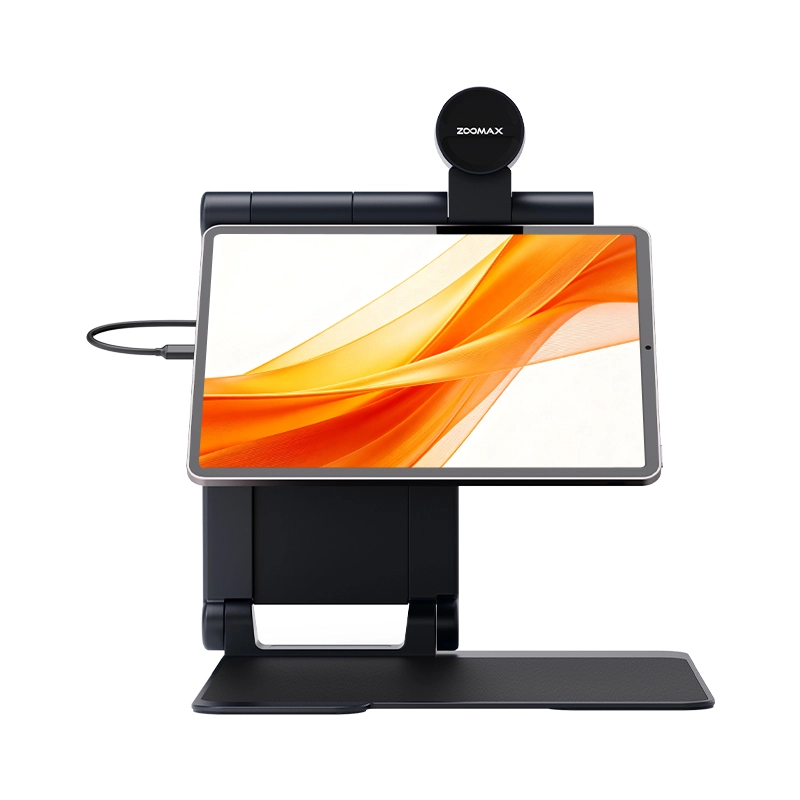
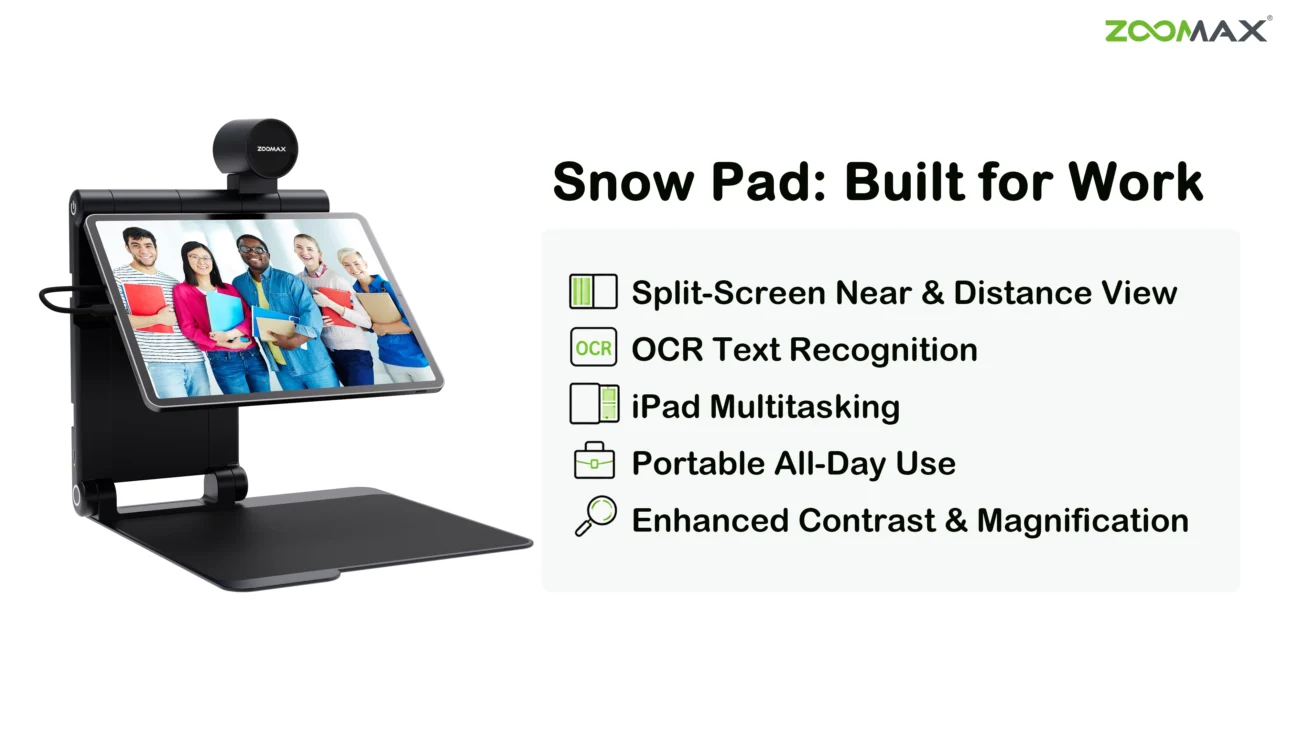
Snow Pad is a portable visual aid designed specifically for iPad, turning your tablet into a powerful tool for both near and distance viewing. Unlike traditional desktop magnifiers that only focus on close reading, it supports the way people actually work today — across meetings, remote collaboration, multitasking, and mobile work environments. This deep integration with iPad workflows allows users to combine visual assistance with the apps and productivity tools they already rely on every day.
A More Comfortable Way to Work During Meetings
One of the most valuable features for working professionals is the split-screen near-and-distance viewing mode.
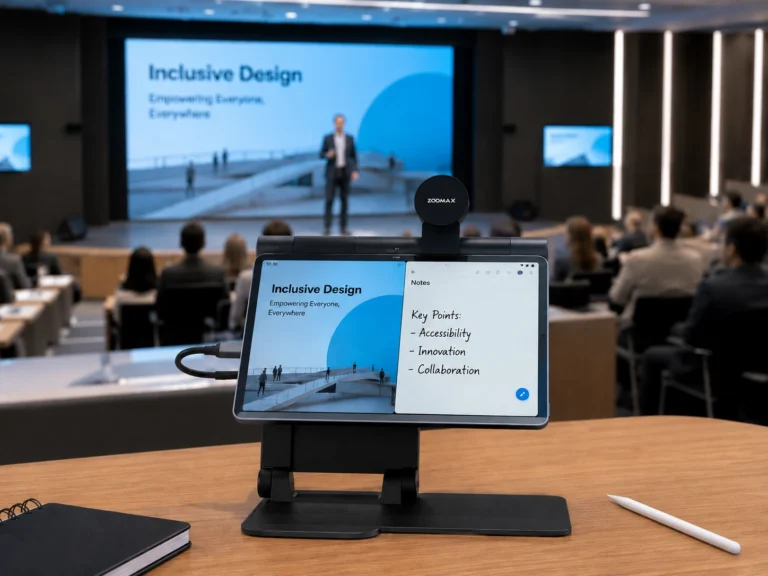
In real workplace situations, users often need to look at distant presentation screens while simultaneously taking notes nearby. With Snow Pad, the distant camera captures the presentation screen or whiteboard while the iPad’s built-in camera shows the notebook below. This lets a user comfortably view a PowerPoint presentation, conference room display, or classroom screen on one side of the screen while writing notes on the other — all within a single split-screen view.
This helps reduce the constant head movement and visual refocusing that can become exhausting for people experiencing diabetic retinopathy vision changes or diabetic retinopathy peripheral vision loss.
For many users, the benefit is not simply “seeing larger.” It’s being able to work longer with less visual fatigue.
Built for Today’s Hybrid and Remote Workflows
Snow Pad also works naturally alongside iPad multitasking features, making it especially useful for modern hybrid work environments.
For example, users can:
- Keep a magnified live presentation on the left side of the screen
- Open an AI-powered meeting notes app on the right side
- View emails, cloud documents, or CRM dashboards while using visual assistance
- Join remote meetings while reviewing enlarged materials simultaneously
This kind of multitasking workflow is becoming increasingly important for professionals managing remote collaboration, digital classrooms, and flexible office environments.
For mid-career professionals exploring remote work for visually impaired adults with tech skills, having a device that supports both productivity and accessibility in one workflow can make daily work feel far more manageable.
OCR That Goes Beyond Simple Reading
Snow Pad’s OCR functionality also helps simplify busy workdays in a much more practical way than traditional magnifiers.
Instead of struggling through printed handouts, contracts, menus, reports, or small text documents, users can quickly capture text with OCR and convert it into readable digital content.
The recognized text can then be:
- Copied directly into notes or emails
- Shared with other apps
- Imported into AI meeting summary tools
- Used for document editing or digital organization
For professionals constantly juggling meetings, reports, and communication throughout the day, this can help reduce visual strain while improving workflow efficiency.
Rather than manually retyping information or switching between multiple devices, users can move information more smoothly between accessibility tools and their everyday productivity apps.
A Modern Low Vision Device That Feels Natural to Use

At the same time, Snow Pad still provides the core features many users look for in modern diabetic retinopathy low vision aids, including:
- Digital magnification
- Enhanced contrast viewing
- Portable reading support
- Distance and near viewing modes
- OCR and text-to-speech tools
- Cross-device compatibility with tablets
For many professionals, this creates a workflow that feels closer to mainstream consumer technology rather than specialized medical equipment.
And emotionally, that matters too.
When a device feels modern, portable, and socially natural to use, people often feel more comfortable bringing it into meetings, coworking spaces, classrooms, and coffee shops — helping them stay engaged in both their professional and personal lives.
From Office Desks to Coffee Shops: How Snow Pad Supports Productivity Anywhere
Today’s work culture is increasingly hybrid and mobile.
Professionals are expected to stay productive from almost anywhere — home offices, client meetings, airports, remote classrooms, shared workspaces, and even local cafés.

That’s where portability becomes incredibly important.
A modern portable electronic magnifier can make a major difference for people managing diabetic retinopathy and fluctuating vision throughout the day.
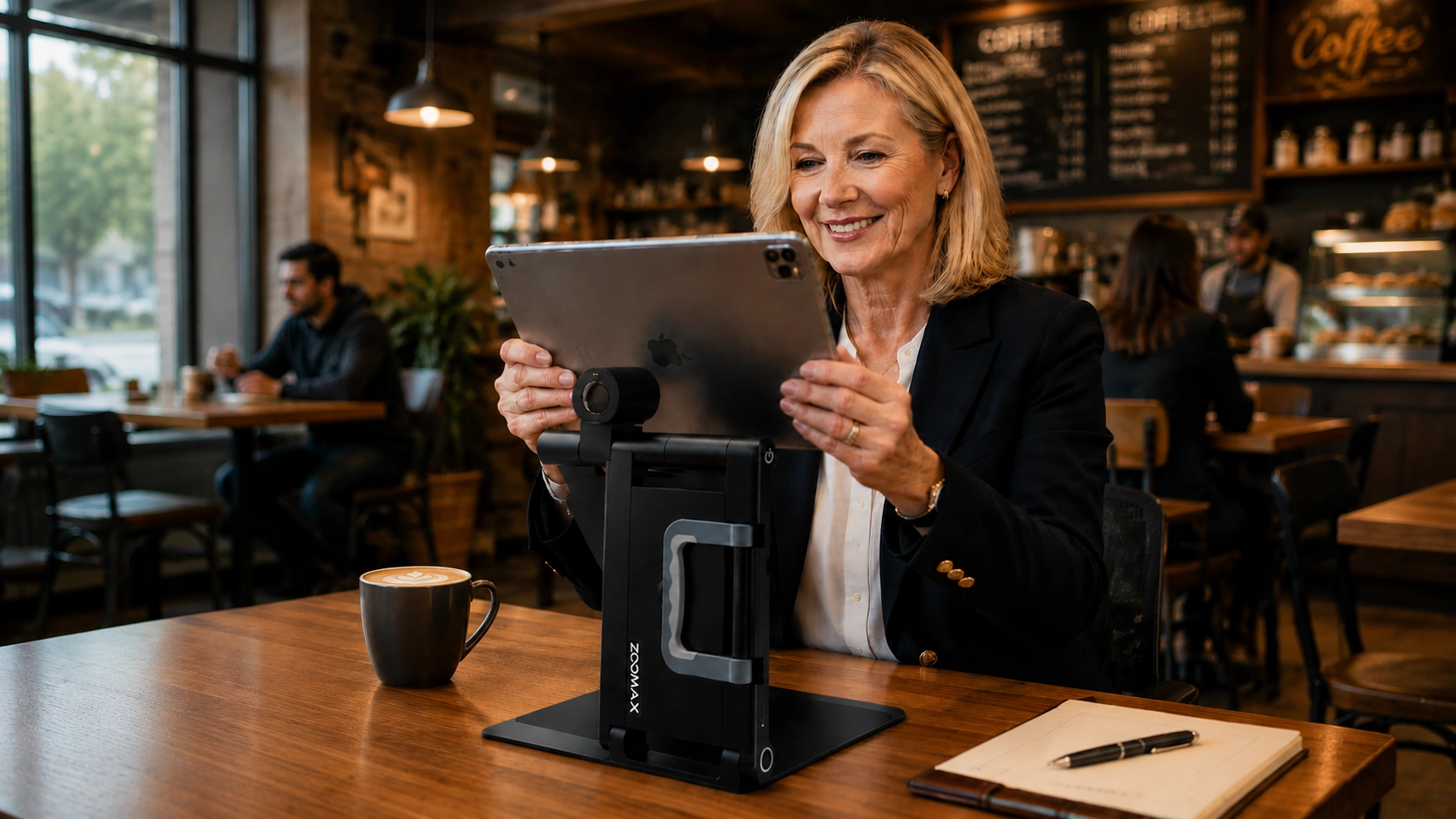
Snow Pad’s portable design allows users to continue working in different environments without being tied to a fixed desktop setup. For many users, this flexibility supports a greater sense of freedom and normalcy.
Imagine being able to:
- Review documents during a business trip
- Read presentation notes at a conference
- Work comfortably from a coffee shop
- Participate in remote learning
- Manage tasks while traveling between appointments
Instead of adapting life around vision limitations, many users are now adapting technology to support their existing lifestyle.
Its tablet-like appearance can also reduce some of the social discomfort that users sometimes experience when using traditional assistive devices in public settings.
For working-age professionals exploring remote work for visually impaired adults with tech skills, this type of flexible digital solution is becoming increasingly valuable.
Some users searching online for a tablet screen magnifier for sale are specifically looking for tools that feel modern, lightweight, and easy to integrate into existing digital workflows — not large stationary systems that only work in one room.
A Smart Investment for Employers: Supporting Your Team with Low Vision Aids
In many U.S. workplaces, assistive technology for visually impaired employees is not an out-of-pocket purchase — it's a strategic accommodation provided by the employer. For HR and accessibility teams supporting staff with diabetic retinopathy, Snow Pad represents a practical, cost-effective way to meet workplace accessibility obligations while keeping experienced professionals fully engaged in their roles.
When evaluating low vision aids for the workplace, employers typically ask: Is this solution truly compliant with ADA expectations? Will it integrate smoothly with our existing IT environment? How much training will our employees need to use it confidently? Snow Pad directly addresses these concerns. Because it runs on iPad — a device already widely deployed in corporate environments — procurement is straightforward, IT overhead is minimal, and training time is nearly zero. Employees can simply download the Snow Pad app from the App Store and start working with a tool that feels immediately familiar.
Beyond compliance, there is a clear business case: reducing visual fatigue helps maintain consistent productivity, lowers the risk of costly errors, and supports long-term employee retention. When a valued team member can once again read reports, participate in video calls, and take notes without exhaustion, the entire organization benefits.
Continue Working with Confidence Using Modern Low Vision Technology
Living with diabetic retinopathy does not automatically mean giving up your career, independence, or professional identity.
Many people with low vision continue working successfully every day with the help of adaptive technology, workplace accommodations, and smarter digital tools.
Modern low vision aids for diabetic retinopathy are helping professionals stay connected, productive, and confident in both work and daily life.
And perhaps most importantly, these tools can reduce some of the emotional stress that often comes with vision changes — helping users feel more capable, more independent, and more in control of their routines again.
If you’re exploring modern products for visually impaired adults, the Zoomax Snow Pad may be worth considering as part of your daily work setup.
Whether you work from an office, home, classroom, or coworking space, the right low vision technology can help create a more comfortable and sustainable workday.
You can also visit Zoomax USA online visually impaired store to compare devices designed for reading, digital work, and everyday productivity support.
Disclaimer: The information in this article is provided for general informational and educational purposes only and is not intended as medical advice. It should not be used to diagnose, treat, or manage any eye condition, including diabetic retinopathy. Always consult your eye doctor or healthcare provider before making changes to your vision care routine or before using any low vision device. Zoomax products are designed to support daily tasks and do not replace professional eye examinations, treatment, or medical recommendations.
FAQ
Which iPad models does Snow Pad support, and do I need a separate app?
Snow Pad works with all iPad models except iPad mini, running iOS 16 or later. Simply download the free Snow Pad app from the App Store — no complicated setup is required.
My vision often fluctuates because of diabetes. Can Snow Pad adjust to my changing needs throughout the day?
Snow Pad offers flexible digital magnification, high-contrast viewing modes, and OCR text recognition that you can manually fine-tune in seconds to match your current comfort level. While it doesn’t automatically detect your vision, its intuitive controls let you quickly adapt whenever your sight changes during the workday.
How long does the battery last? Can it get me through a full day of back-to-back meetings without a charger?
The built-in battery provides about 5 hours of continuous use and fully charges in approximately 4.5 hours. For a typical day of meetings and hybrid work, 5 hours covers multiple presentations and note-taking sessions. For all-day offsite events, pairing it with a power bank or charging during a lunch break helps you stay powered.
I already use the iPad’s built-in zoom feature. Why would I need Snow Pad?
The iPad’s standard zoom offers basic magnification, but Snow Pad is purpose-built for professionals with low vision. It adds split-screen near-and-distance viewing, OCR text capture that you can copy into other apps, specialized contrast modes, and the ability to view a distant presentation while writing notes simultaneously — dramatically reducing eye strain in ways the built-in zoom cannot replicate.
What is Zoomax USA’s purchase policy?
Zoomax USA offers a 30-day trial period, U.S.-based shipping, and a 2-year warranty. New customers can also get 10% off their first order by creating an account.